Replace phone menus with a visual menu customers actually enjoy
Dialovo turns confusing call trees into a tap-and-go web experience — routing every caller to the right department instantly, with zero IVR and zero misroutes.
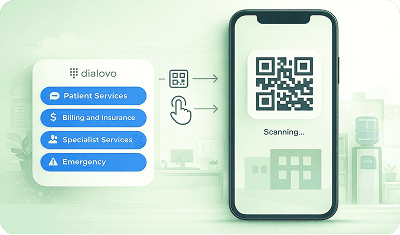
Dialovo, built for customers & businesses
Switch the view to see how each side experiences it.
Tired of Frustrating Phone Menus?
Waiting..listening..and pressing buttons
just to get transferred!!

Tap the Right Department Instantly
Very Simple
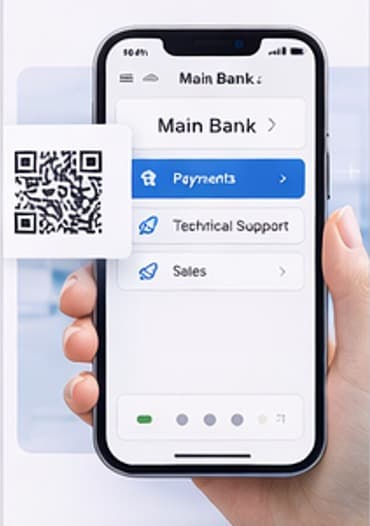
- 1. Scan the QR code
- 2. Tap your department
- 3. Connect instantly.
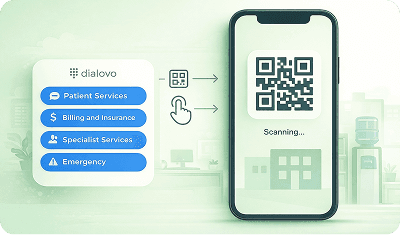

Get Help Faster, Without the Stress
- No more transfers.
- No more waiting.
Just the right help - right away.

Customers prefer live agents over phone menus
Research shows that consumers overwhelmingly prefer speaking to real people over automated phone menus. Dialovo removes the frustration by letting callers tap the right department instantly.
of consumers prefer speaking to a live customer service agent instead of navigating a phone menu.
— Clutch (B2B research firm)
say listening to irrelevant options is the most frustrating part of phone menus.
— Genesys
of consumers actually liked using an IVR service.
— The Conversation (Interactions-backed research)
The visual front door to your support team
Dialovo improves customer contact for both organizations and the people they serve.
A modern alternative to traditional IVR
Dialovo is a web-based virtual IVR and customer routing solution designed to replace traditional phone menus.
Using a visual, mobile-friendly menu accessible via QR code or link, Dialovo helps businesses route customers to the right department faster — reducing wait times, misrouted calls, and operational friction.
How Dialovo works
The same system. Two perspectives.
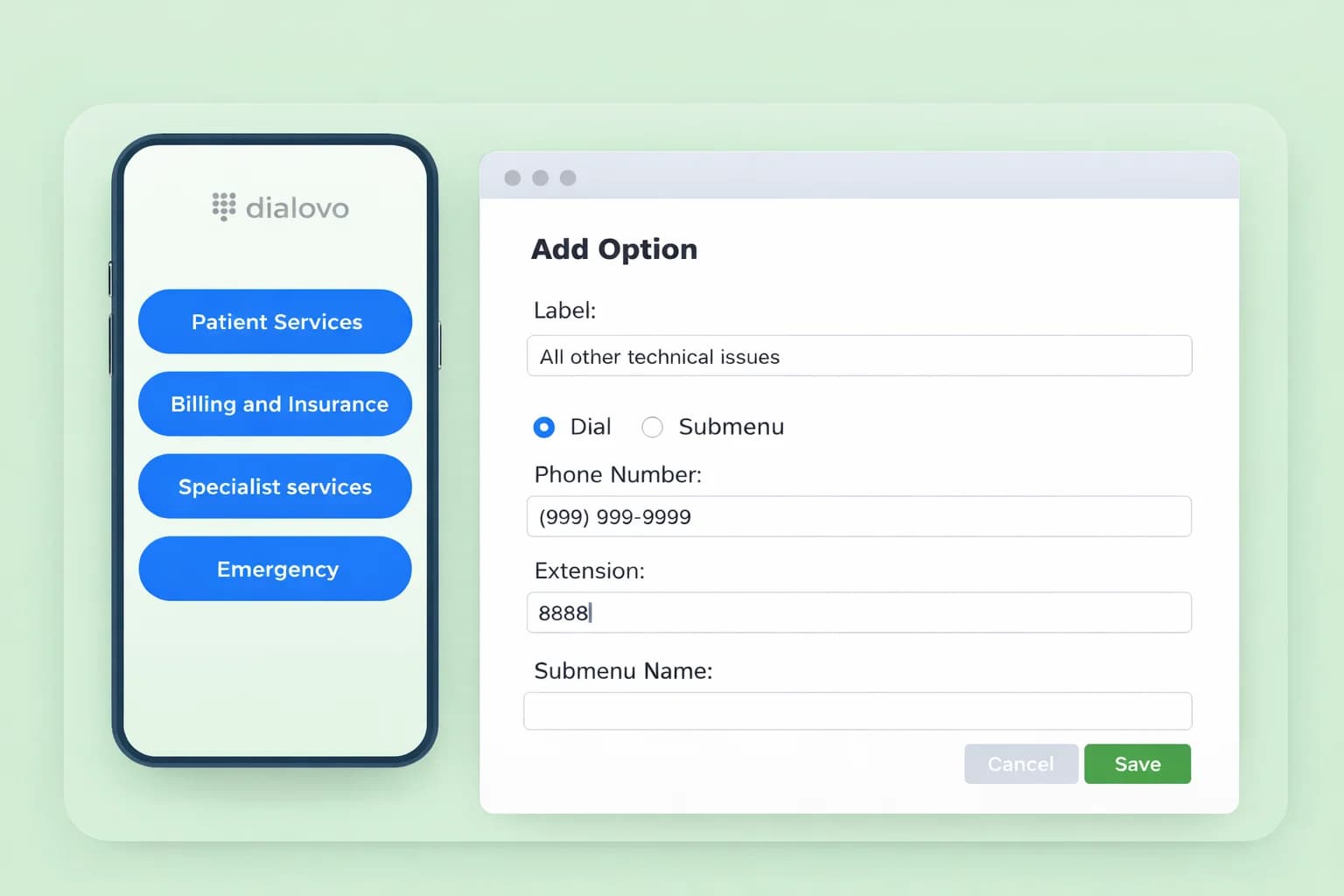
Create your company menu
Build your structure: branches → departments → services.
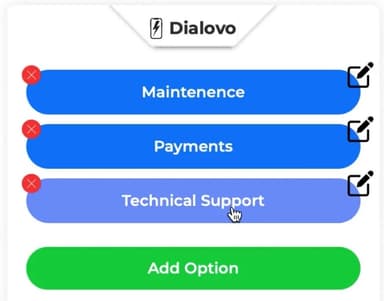
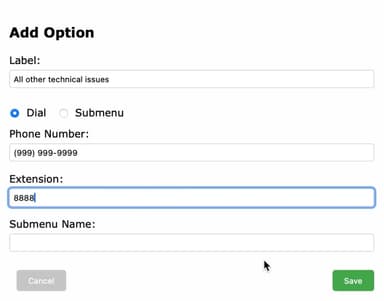
Connect each option
Link options to phone numbers, extensions, or sub-menus.
Generate QR codes & links
Use them on your website, doors, emails, or SMS.

Customers route themselves
Calls reach the right destination automatically.
The key benefits of Dialovo
Faster call resolution
Callers jump straight to the right department, cutting resolution time from minutes to seconds.
Fewer misrouted calls
Visual routing removes guesswork, so every caller lands exactly where they meant to go.
Better customer satisfaction
No more menu fatigue — customers get a fast, modern experience that reflects well on your brand.
Works with existing phone systems
Drop Dialovo on top of your current VoIP setup. No rip-and-replace, no downtime.
Lower operational cost
Less time spent transferring and re-routing calls means lower staffing overhead per interaction.
Multi-branch friendly
Manage every branch, department and service from one dashboard, however you're structured.
Why Dialovo beats phone menus
Visual routing — no waiting, fewer transfers.
No Phone Menu
(Human Pickup)
Talk to a person right away (if available)
No phone menus to navigate
No irrelevant options to listen to
Staff overloaded, inconsistent routing
Queues lead to missed calls + frustrated customers
Total cost
Free — high Staff Time
Traditional IVR
(Phone Menu)
Connect to a person immediately
No phone menu to navigate (it has a menu)
No irrelevant options to listen to (often yes, you must listen)
Easy if you choose the wrong option (usually redo/back/redial)
Reduces operator routing workload (some self-routing)
Low transfers & misroutes (often high)
Fast to update (record prompts = slower)
Total cost
Free — high friction
Dialovo
Connect to the right department instantly
No phone menu to navigate
No irrelevant options to listen to
Easy back button + clear options
Operator doesn't need to route calls
Fewer transfers & misroutes
Fast to update (edit anytime)
Works via QR or web link (easy to share)
Deploy in minutes (website, SMS, signage)
Total cost
Free — lower operational cost
Plans that scale with your team
Start free. Upgrade only when you need more branches, seats, or volume.
Build your own menu in 5 minutes.
Drop in your branding, write a welcome line, add your options. Every change is live the moment you save it — no code, no vendor ticket.
Make it yours
Custom background
Drag and drop any image. It fills the screen behind the card.
Your logo
Upload once and it sits at the top of every menu and submenu.
Welcome message
One line telling callers what they're looking at. Edit it anytime.
Hours of operation
Open or closed, shown before they dial — with full hours one tap away.


Three ways to route an option
Dial
Places the call to the number or extension for that department.
Submenu
Opens another set of options. Nest them as deep as your org chart goes.
Link
Sends them to an intake form, FAQ or portal instead of the phone queue.
Every option is a QR code and a link, ready to share.
Put it on your own domain for a fully branded experience.
Serve menus from a domain your customers already trust — help.yourcompany.com instead of a link they don't recognize. We give you the exact DNS records to paste at your provider and check the connection for you; most domains are live within ten minutes.
DNS Instructions
You've chosen a custom domain. Please configure your DNS settings.
To connect your domain, please add the following DNS record at your provider:
| Type | CNAME |
| Name | www |
| Value | proxy.dialovo.com |
| Proxy (if available for your provider) | False |
Additional record for root domain:
| Type | A |
| Name | @ |
| Value (IP) | 192.0.2.1 |
| Proxy (if available for your provider) | True |
Check DNS Status
Note: It may take up to 10 minutes for DNS changes to propagate.